iPhone/iPad became Black/Red/Blue screen can be summed up in several cases. The first is that the iPhone/iPad itself is a refurbished machine or is a machine that has a quality problem. Occasionally, there is an unstable became Black/Red/Blue screen. Secondly, in the accidental factor, the device goes into DFU mode. Thirdly, it may be because its iOS system cannot start. Fourthly, the hardware of the iPhone/iPad is corrupted, such as the screen is corrupted. If it's a hardware problem, we can only take it to the repair shop. But if it is a system problem, we can solve it by ourselves.

iPod touch.
Note: after using this function, your iPhone/iPad will be updated to the latest iOS version. And if your iPhone/iPad has been jailbroken, then it will be updated to non-jailbroken version. If you have unlocked your iPhone/iPad before, then it will be re-locked again.


Step 1. Connect your iPhone/iPad
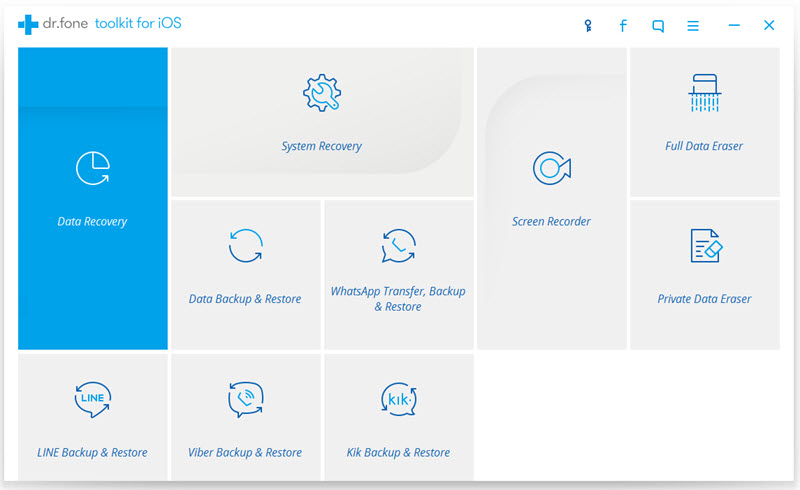
Download and install dr.fone toolkit on your computer. After you run it, select "System Recovery" from all the toolkits".
Next, connect your iPhone/iPad to the computer using a USB line. When the program identifies your iPhone/iPad, click on "Start" to continue.
Step 2. Boot your iPhone/iPad in DFU mode
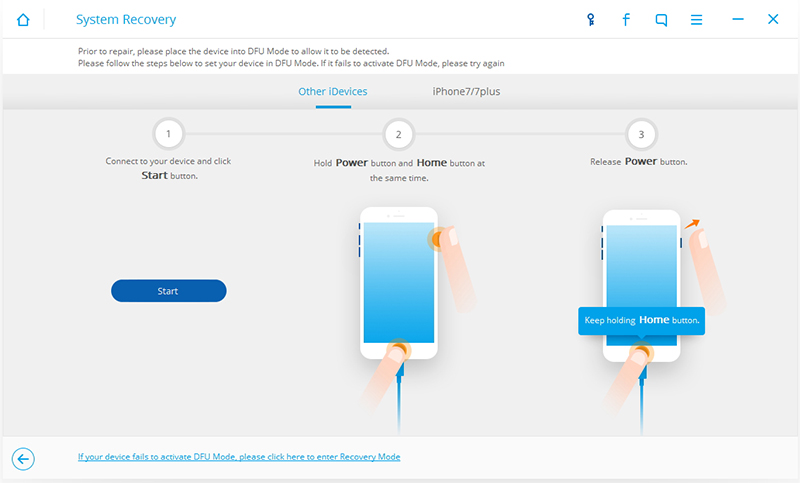
Secondly, you need to operate according to instructions, and your iPhone/iPad will go into the DFU mode. You need hold the "Home" button and "Power" button for about 10 seconds, then release the "Power" button and still hold the "Home" button.
When your iPhone/iPad enters the DFU mode, the program begins to recognize your iPhone/iPad. Then you need to loosen the "Home" key.
Step 3. Select and download the firmware
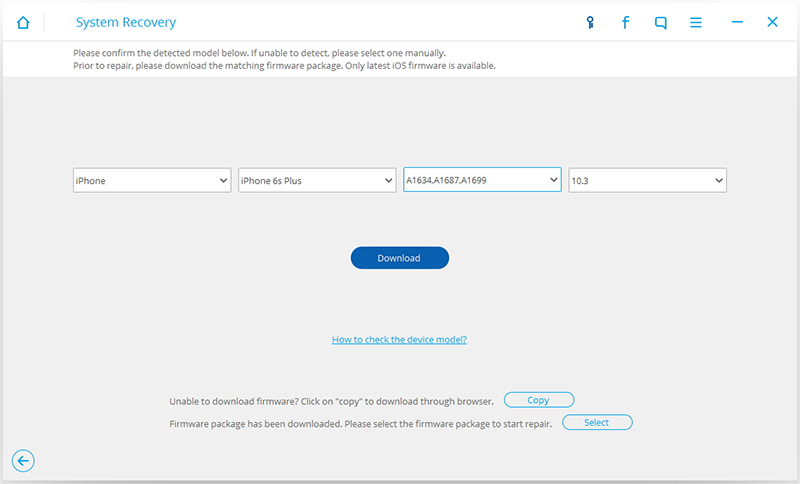
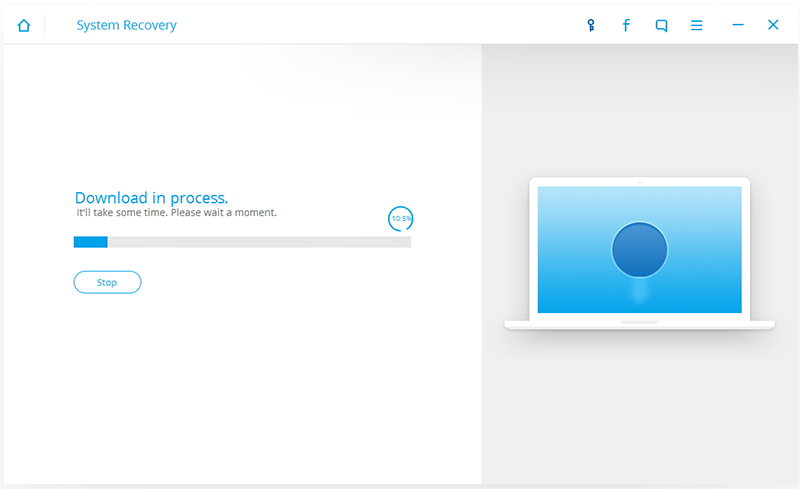
In order to successfully restore your iPhone/iPad, you need to select the correct device model and firmware information. Then click "Download". When beginning download the firmware, please be patient, it will take you some time. At the same time, please do not disconnect the iPhone/iPad from the computer.
Step 4. Fix iPhone/iPad to normal status
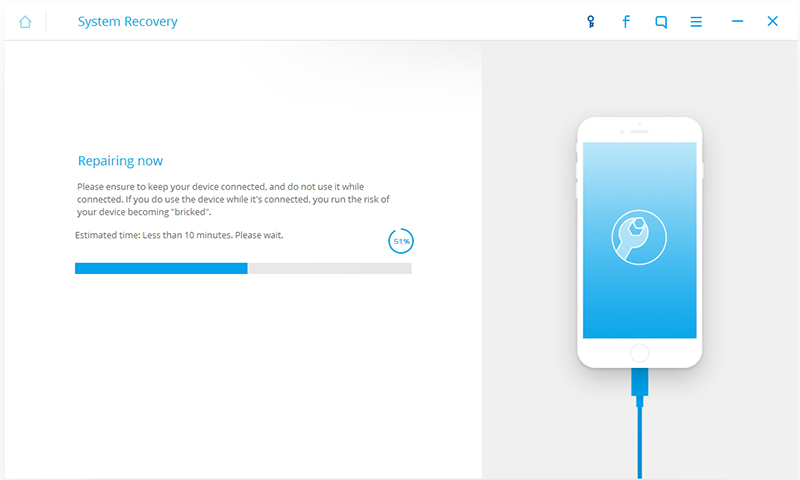
When this process is complete, the program automatically restores your iPhone/iPad. Your iPhone/iPad will work again normally. Finally, you can start your iPhone/iPad normally. If it does not boot normally, you can click on Try Again to try the process again.

More info:
How to Get iPhone, iPad Out of Recovery Mode
